Desktop Sync
Synchronization of Files & Folders with Your Desktop Computer
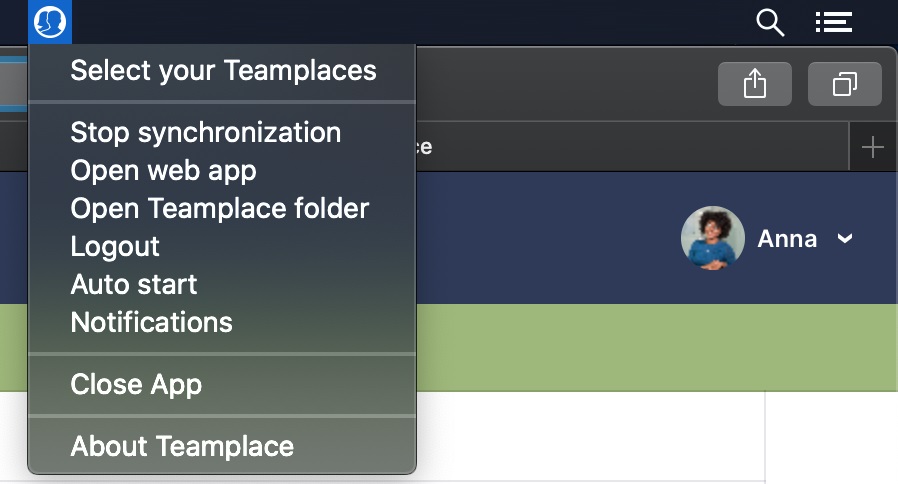
The Desktop Sync Client allows you to integrate Teamplace as a local directory on your Mac, PC and laptop. This gives you even faster access to Teamplace folders and allows you to view and edit files offline at any time.GO TO DOWNLOAD →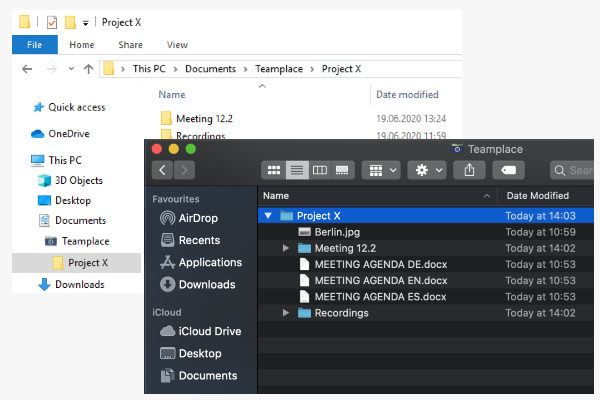
Seamless Integration into the File Manager on your Mac or Windows Computer
Whether Windows Explorer or Mac Finder – with the Desktop Sync Client you can integrate Teamplace into the file manager on your computer with just a few clicks. Simply install the client, select Teamplace and the corresponding folders and files will appear in a separate directory in your file manager.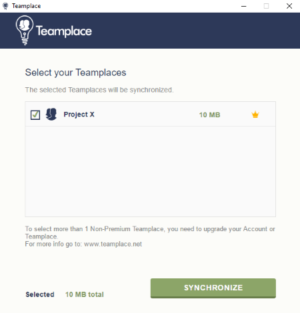
Smooth Synchronization Between Desktop and Cloud
Select a Teamplace and start the synchronization. The desktop client will then synchronize between the cloud and the desktop, ensuring that you always have the latest version of all files at hand. Automatic versioning avoids conflicts when files are edited by multiple team members simultaneously.